 WristPointer
Point your watch at the screen. The cursor follows.
WristPointer turns your Apple Watch into a pointer for your Mac. Tap to click, hold to drag, turn the Digital Crown to scroll. No Wi-Fi and no servers: the watch talks straight to your Mac over Bluetooth.
You need both: the watch app from the App Store, and the free WristPointer app on your Mac.
-
Install the Mac app
It lives in the menu bar. Allow Accessibility so it can move the pointer.
-
Pair once
Open WristPointer on the watch and tap Pair next to your Mac. It connects only to that Mac.
-
Point
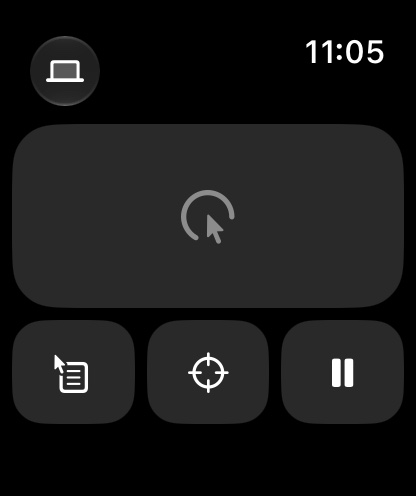
Aim the 12 o'clock edge at the middle of the screen and tap Center. Pause gives the cursor back to your trackpad.
用 Apple Watch 指一指,Mac 的指针就跟着走
像拿激光笔一样把手表对着屏幕移动指针,点一下是点击,按住是拖动,转表冠是滚动。手表和 Mac 之间只走蓝牙,不联网。手表 App 在 App Store 下载,Mac 端在本站免费下载。